
Description
Native Android Auto for BMW NBT EVO iD5 / iD6
Activate genuine Android Auto on your factory BMW NBT EVO head unit — the same screen, controls and sound system you already have. No adapter box, no screen replacement, no extra hardware. Install it yourself in 3 steps with our Android-Auto-EVO Installer.
Key features
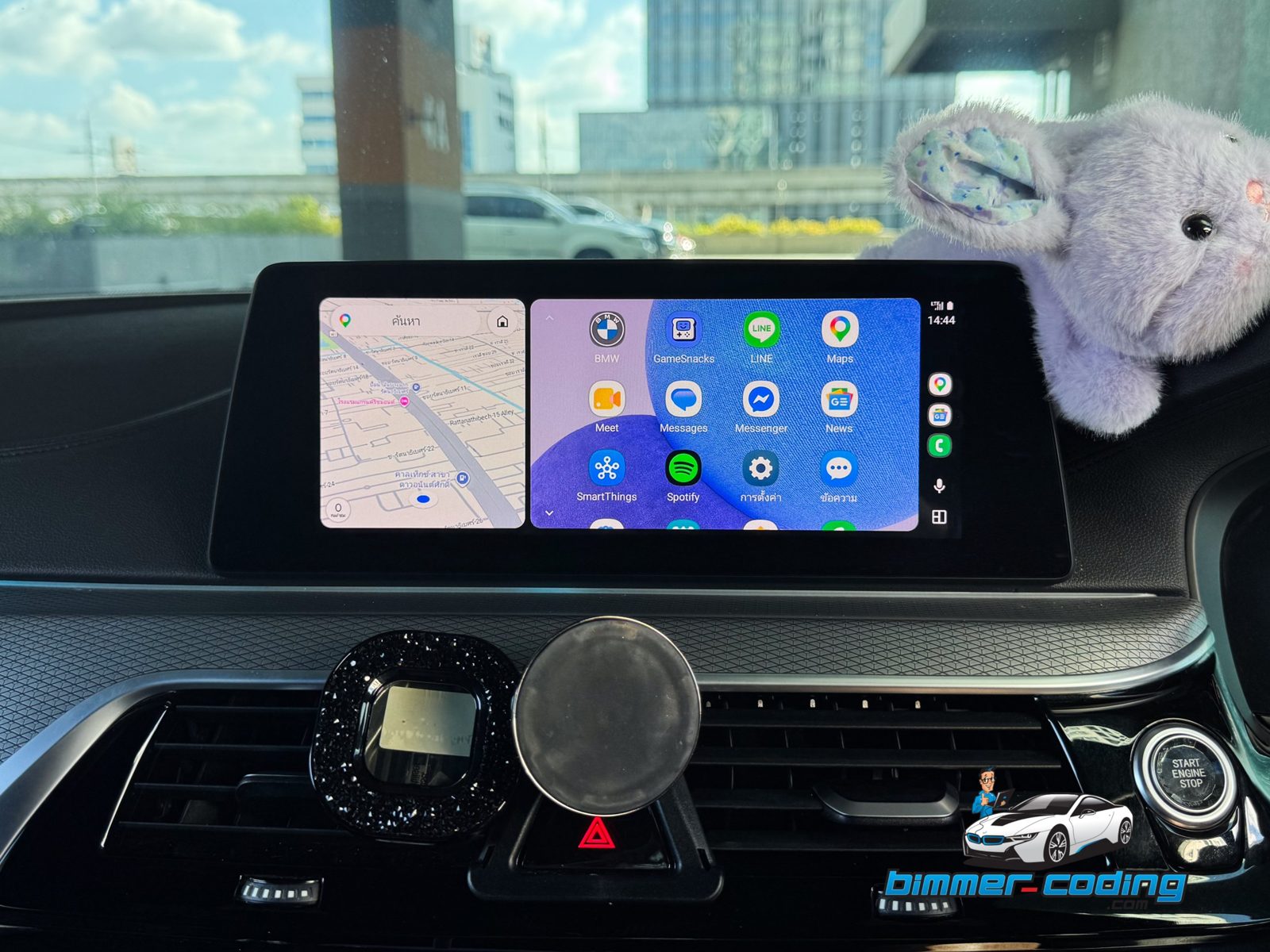
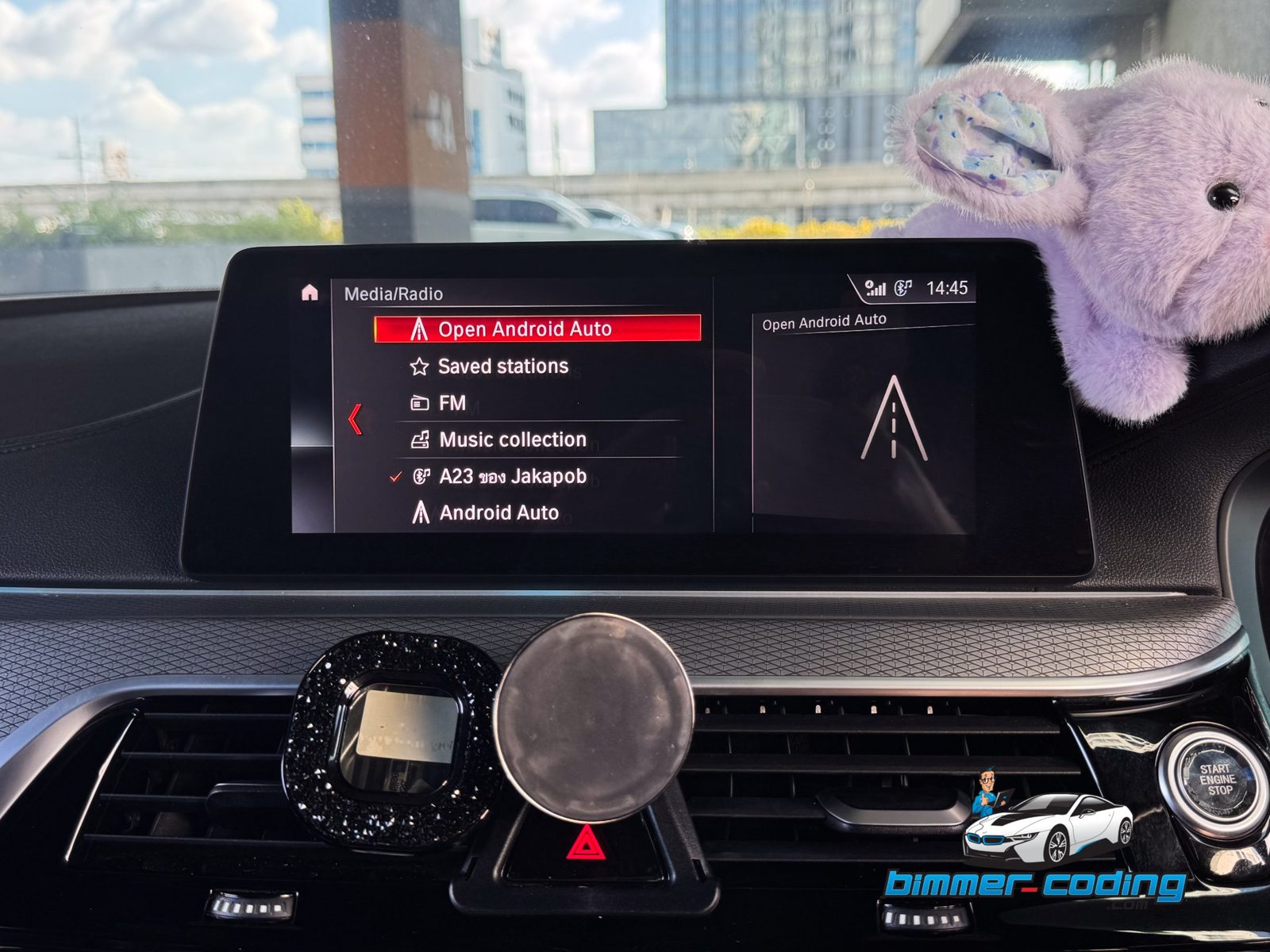
- Built into iDrive — Android Auto runs inside the original NBT EVO system and appears in the Media / Radio menu.
- Wireless and USB — connect automatically over Wi-Fi, or plug in with a cable. Both are included.
- Factory controls — works with the touchscreen, iDrive controller and steering wheel buttons.
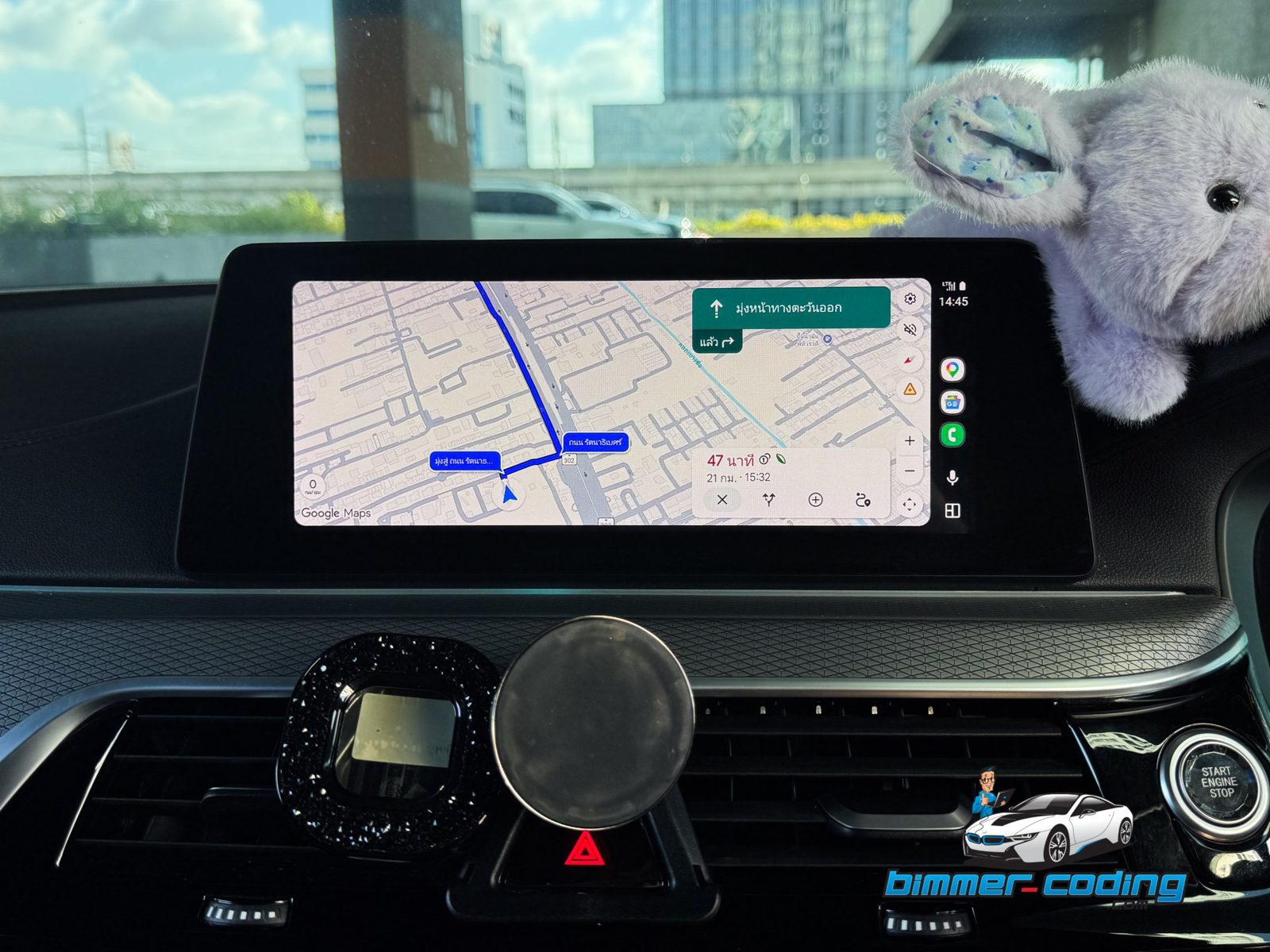
- Factory audio — music, navigation and calls play through the car’s own speakers.
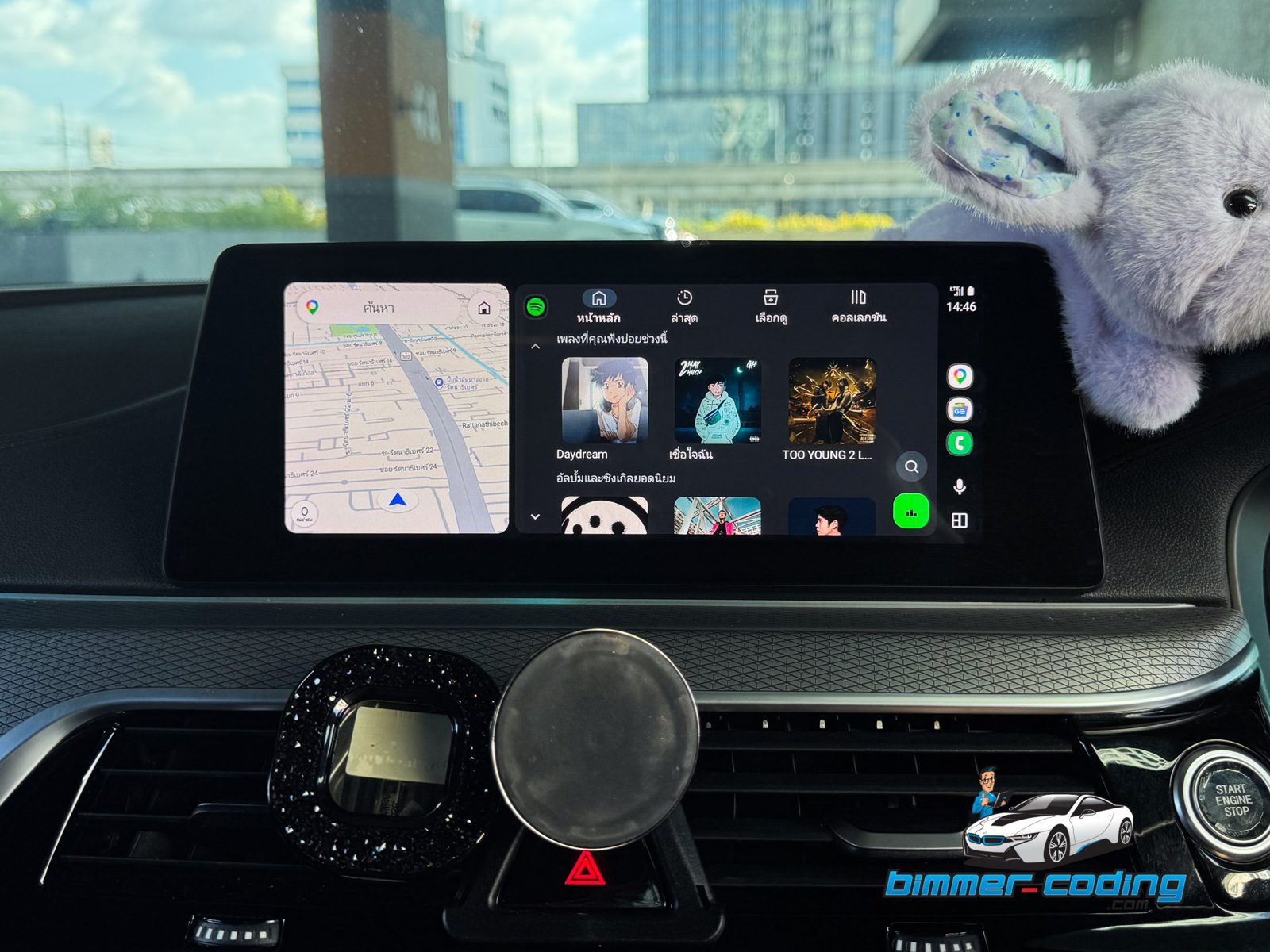
- Full-screen apps — Google Maps, Waze, Spotify, YouTube Music, LINE, WhatsApp, calls and Google Assistant.
- Split-screen view — map on one side, music or apps on the other.
- Keeps everything you have — BMW navigation, radio and Apple CarPlay keep working as before.
Important: Apple CarPlay must be active first
On the NBT EVO head unit, Android Auto is unlocked on top of the Apple CarPlay function. Your car must already have Apple CarPlay activated before Android Auto can be installed. That is why there are two options:
| Your car | Choose | Price |
|---|---|---|
| Apple CarPlay is already active | Yes – CarPlay already active (Android Auto only) | $120 |
| Apple CarPlay is not active | No – activate CarPlay + Android Auto | $150 |
Not sure if your car has CarPlay? If you can already connect an iPhone with Apple CarPlay in your car, choose the first option. Otherwise choose the second — or send us your VIN and we will check for you before you buy.
Compatibility
- BMW / MINI / Toyota Supra with NBT EVO head unit running iDrive iD5 or iD6
- Android phone with Android Auto
- Still on iD4? Upgrade first with our BMW iD4 → iD6 service.
Install it yourself in 3 steps
After payment you receive the Android-Auto-EVO Installer and your license key. Everything is done from your Windows laptop — no workshop visit, no booking.
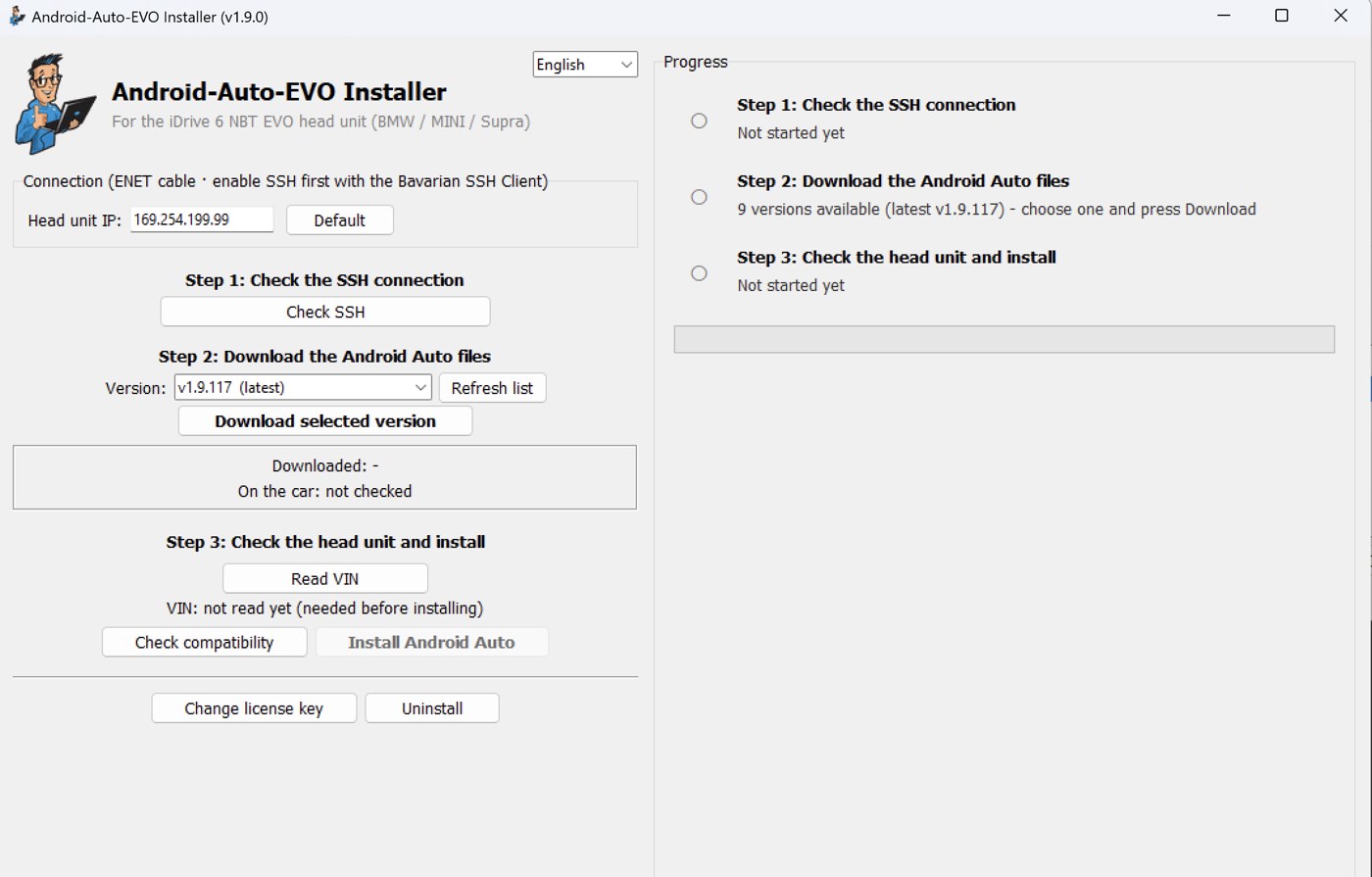
Before you start
- Windows laptop and an ENET cable connected to the car’s OBD port
- Enable SSH on the head unit with the Bavarian SSH Client
- Open the installer and enter your license key
- Step 1 – Check the SSH connection: press Check SSH. The installer confirms it can talk to your head unit.
- Step 2 – Download the Android Auto files: choose the latest version and press Download selected version.
- Step 3 – Check the head unit and install: press Read VIN, then Check compatibility, then Install Android Auto.
When the installation finishes, open Media / Radio → Android Auto in iDrive and connect your phone by USB or wirelessly. You can also remove it any time with the Uninstall button.
Need help? We support you on WhatsApp / LINE until Android Auto is working in your car.


Reviews
There are no reviews yet.